AI Rap Video Generator
Drop in a rap track. A performer raps it to camera, lip-synced, in vertical video for TikTok, Reels and Shorts. 5-second preview is free.
Your track
Performer
who raps it, and whereMake your preview
One free preview per eligible account · personal, non-commercial viewing
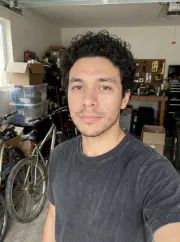
Your photo → a 15-second performance
Find your performance
Choose a preset performer and scene for your song, or use your own photo with one of four backgrounds.
Your photo → a 15-second performance
From song to screen in three steps
Upload your song
Choose an MP3, WAV or M4A file you have permission to use, then select a passage.
Choose a performer
Pick a preset performer, or use an approved photo and choose one of four scenes.
Preview your clip
Watch a free five-second preset preview online, then reserve a 15, 20 or 30-second clip.
Make a rap performance from your song
Choose the moment that best represents your track and pair it with a performer. Your free preview is for online viewing and cannot be downloaded.
One song, two ways to start.
Free preview
5 seconds
One eligible signed-in preview for personal, non-commercial viewing. No download.
Generate free previewPerformance clips
Starter $4.99 · 20 credits
15, 20 or 30 seconds · approximately one credit per second. Reserve your spot; nothing is charged while you wait.
Make a previewFree Rap Writing Tools
Both tools produce text only. Use a lyric draft to develop your idea, or write a diss verse from your story; bring your own finished audio when you are ready to make an AI rap video.
AI rap video questions
What do I need to start?
Bring an MP3, WAV or M4A song between 5 seconds and 5 minutes, up to 25 MB. Use audio you own or have permission to use.
How long is an AI rap video?
Watch a free 5-second preview online, then reserve a 15, 20 or 30-second clip.
What kind of photo works best?
Use one clear, well-lit, front-facing photo of an adult, with eyes and mouth visible and the face filling at least a quarter of the image height. JPG, PNG or WebP, at least 720 pixels on the short side and at most 10 MB.
Can I use someone else's photo?
Only use a photo of an adult who has agreed to its use.
Can I use a cartoon or AI-drawn portrait?
Use a real photo of a person, not a cartoon, illustration or AI-drawn portrait.
Can I use a celebrity photo?
No. Do not use a celebrity photo or impersonate another person.
Do you keep my photo or train on it?
While you wait in line, your photo stays on your device and is not saved by us. You will upload it again when your spot opens.
Why was my photo rejected?
Your browser checks the format, size, dimensions, brightness and sharpness, and may check the number and size of faces if supported. It cannot reliably check pose or whether eyes or mouth are covered. When processing opens and you upload again, the photo will be reviewed by our service or provider against the photo requirements.
Can I try a custom performer for free?
Custom performers are not available yet. Signed-in users can join the queue; no image is generated or charged now, and the photo is not saved.
How does the free AI rap video preview work?
One eligible signed-in account can watch a five-second preview on the page for personal, non-commercial use. It cannot be downloaded.
Can I use a YouTube link?
No. Rapvid does not import from YouTube. Choose an audio file you have the rights to use.